
In this short chapter we’ll set up payout.
Pre-requisite
As Xevol gets limited license of your work to publish on your behalf (and generally act as your publisher) we need to verify your identity.
To verify it, log in using your account, go to Settings, and then go to Verification tab.
Verification is processed by Stripe ID, an Ireland/US-based payments company. None of the personal data is processed by Xevol’s infrastructure so your data is in their hands.
Supported Payout Methods
At this time Xevol supports Wise, PayPal. For authors who hail from locations that don’t have support for neither it is possible to set up a wire transfer method. For that reach out to me at [email protected].
Step-by-Step
To set up payouts:
Log in using your account
Go to your Account Settings
Go to Payout tab
Choose a payout method
Fill in personal data that matches your passport/driver’s license/ID
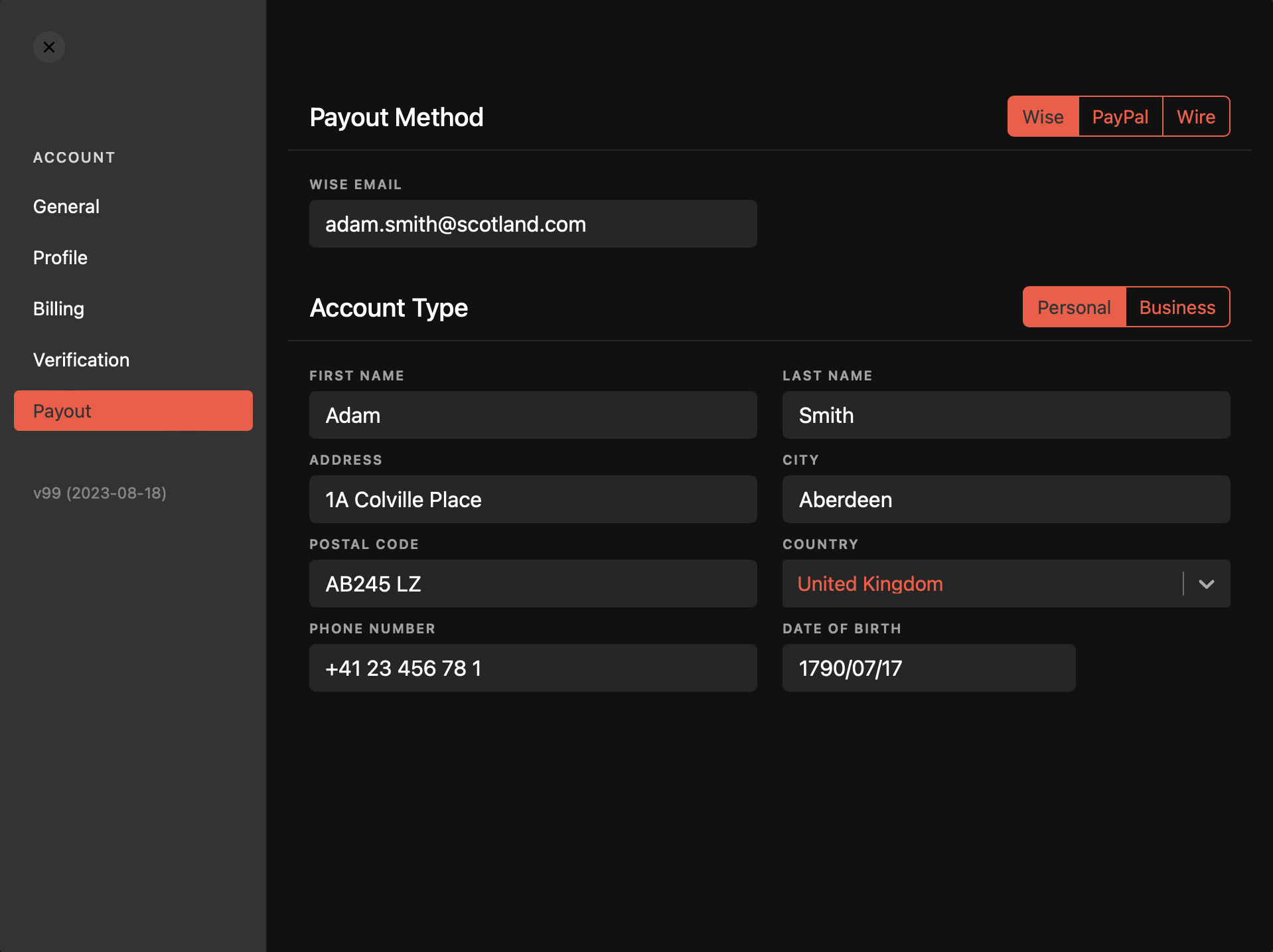
Once payout information is put in place you’ll be able to request payouts to provided payout method in your workspace’s Overview and Transactions pages.
Payout is possible for balances above $10.