
Get new product ideas
Using Tasks – an AI based technology
 Kuan
Kuan
In this short guide we’ll go through the Tasks feature of Xevol.
Xevol Tasks help you utilize AI/LLM technology for “brainstorming” your ideas which either end up as drafts you can develop on top of or quickly scrap.
This approach offers you a way to quickly automate parts of ideas development and focus on real work which is polishing ugly draft to a point where it serves value to your customers.
Set up
This guide assumes you have created an account and you’re in your workspace. Xevol offers a free trial period so you can give it a go free of charge at app.xevol.com.
Tasks
Tasks button is always visible in the left bottom corner of your workspace. Various plans offer different AI request limits but any plan is enough to go through this guide including free trial.
Let’s click on Tasks. You’ll see it has a sidebar and a task view.
Let’s create a new task by clicking “Add” button. You’ll see that tasks offer you three options:
Translate
Revise
Write Draft
For this guide’s purpose, let’s select Write Draft.
Write Draft
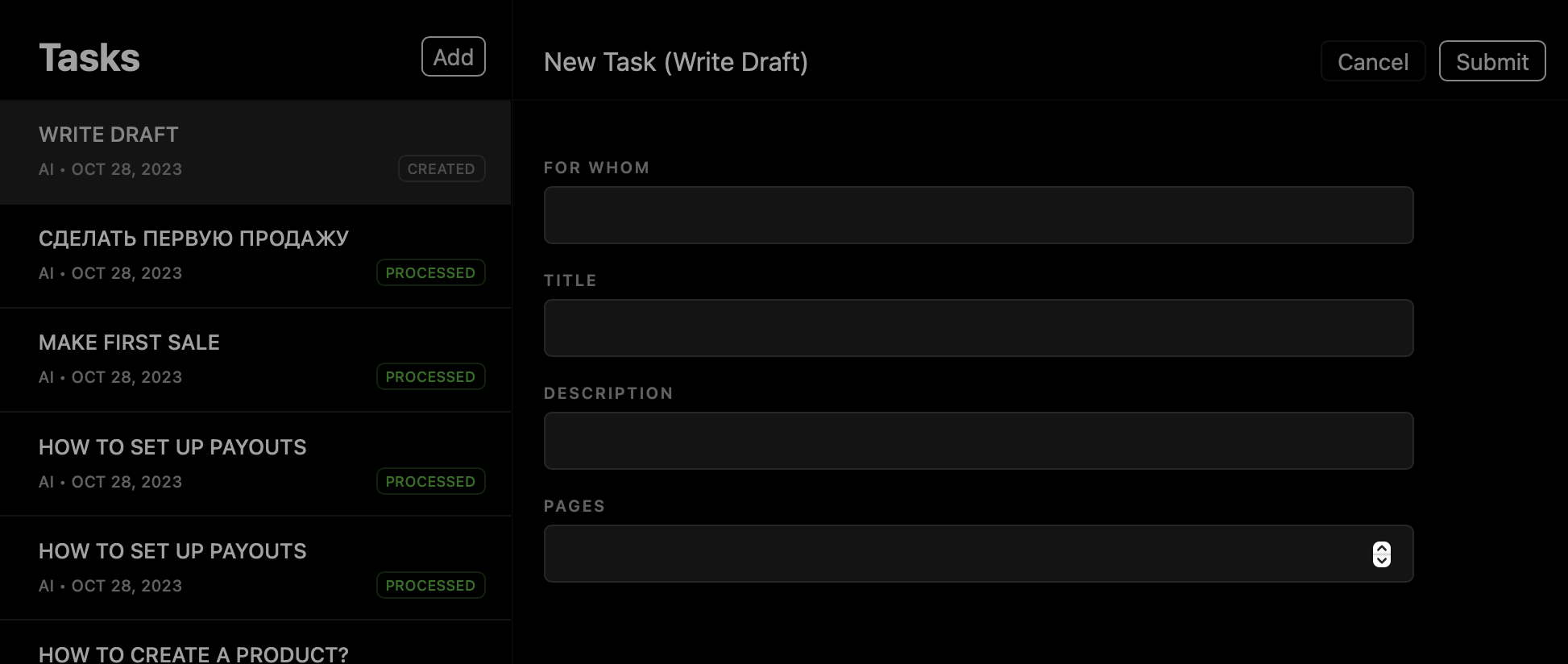
As you can see it’s pretty straightforward. We are given a choice to fill in four fields:
For whom – target audience
“young investors”
“Canadian immigrants”
“sushi connoisseurs”
Title – your product’s title
“Intro to Indian Stock Market”
“Undervalued Canadian Cities”
“Intro to Sashimi”
Description – a short description
“A short guide introducing readers to emerging Indian stock market”
“A handbook about best cities for newcomers”
“Sashimi consumption manual”
Pages – pages count, it’s more or less set to 20 pages at a time
Let’s try the first combination:
A short guide introducing readers to emerging Indian stock market titled “Intro to Indian Stock Market” for young investors with page count of 20.
Let’s submit.
Result
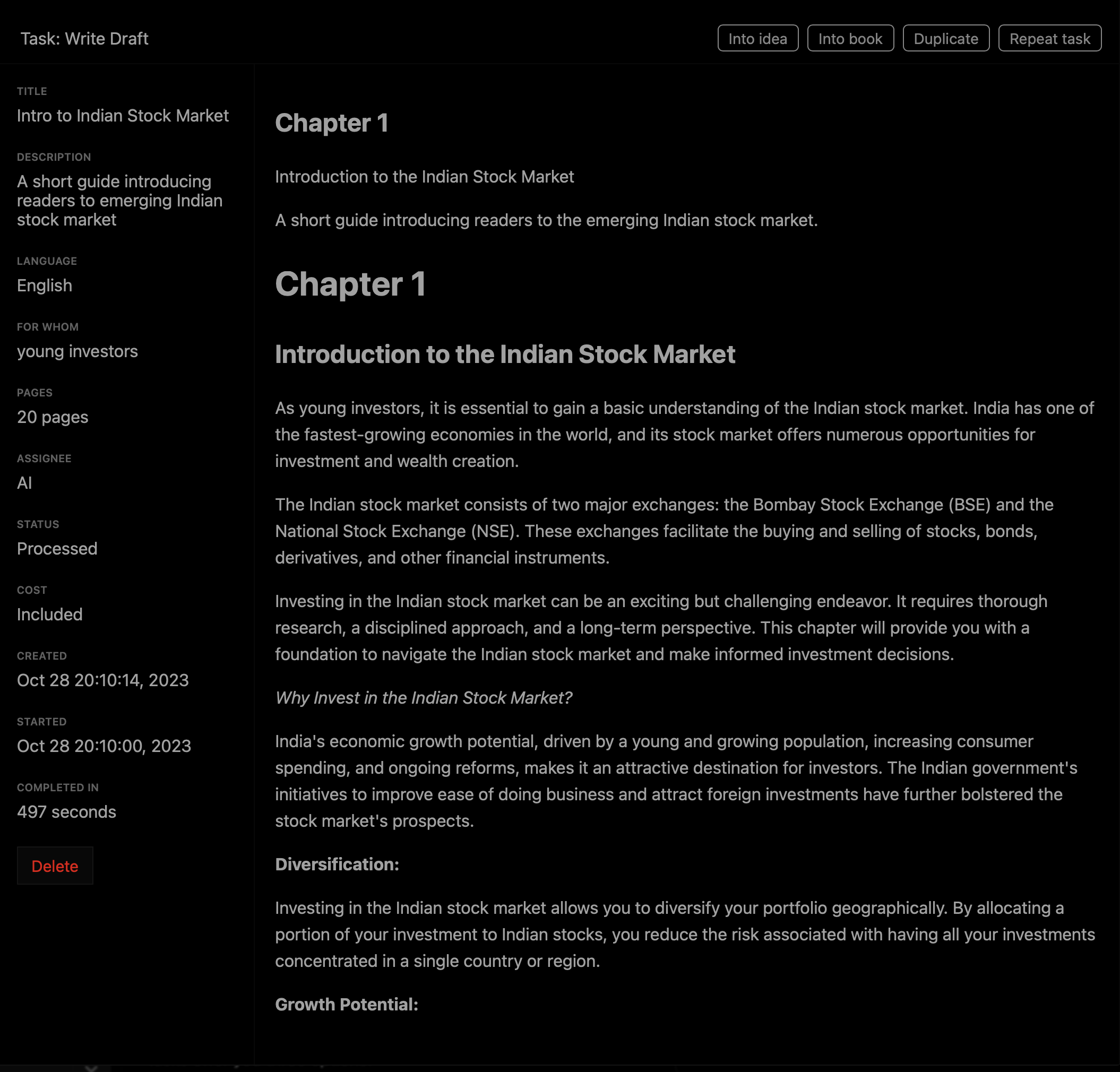
Once task is processed we now have ~10 chapters that we can turn into a long-form article using “Into Idea” button or into a standalone product using “Into Book” button. Of course, we can request new version by clicking “Repeat Task”.
Let’s turn it into a book.
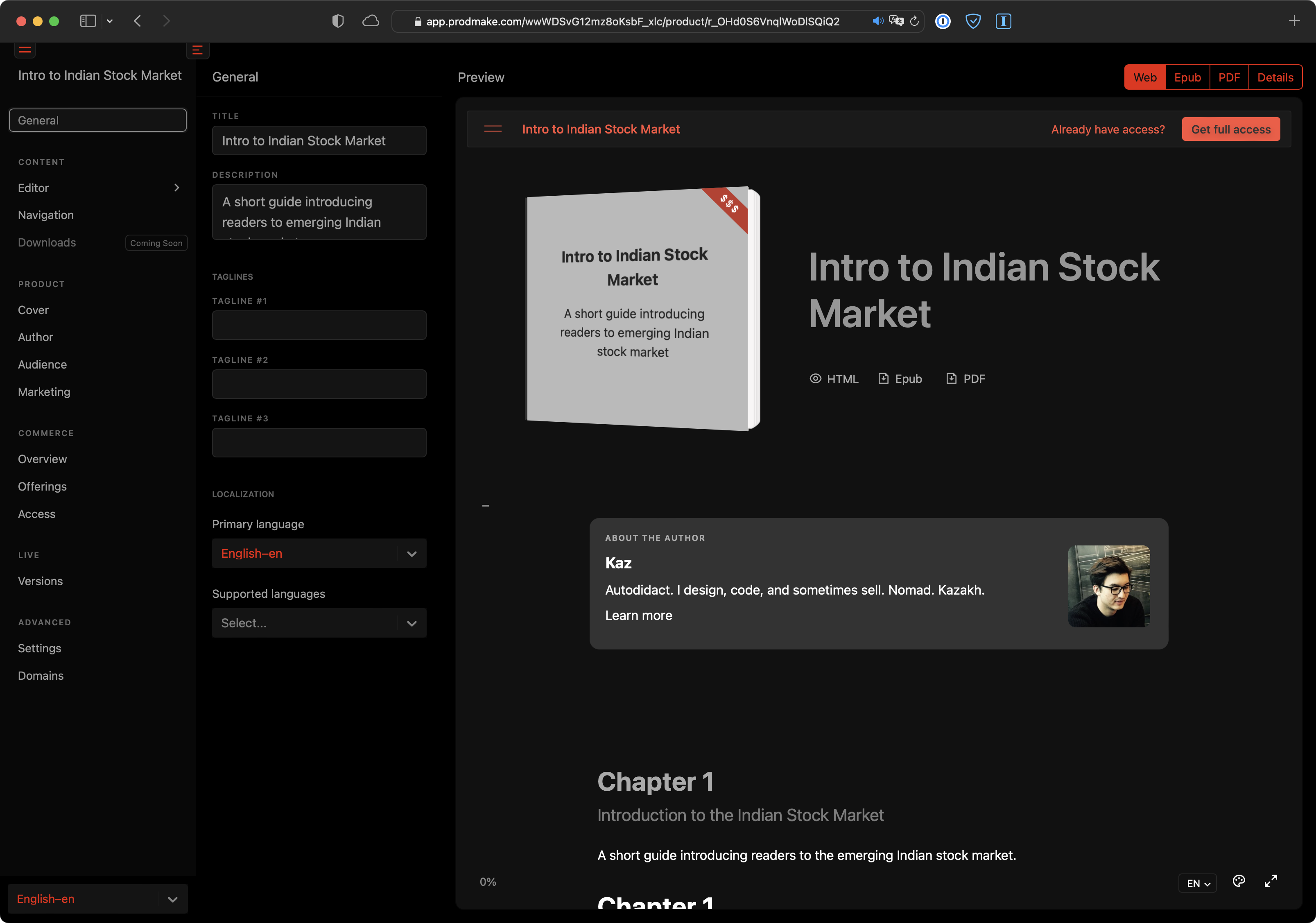
Now is a good time to clean it up by going into Editor ourselves. Then we can publish it using steps from “How to create a product” guide.

Here’s a final result with minor edits and formatting. You can see it for yourself at https://automation-product.xevol.com.
As any other product with exports enabled turning the product into Epub and PDF is a matter of clicking links on a product page.
Fin
As you can see it’s a great way of brainstorming and turning your ideas intro tangible entities. Given the iteration speed of tasks and integrated workflow of Xevol for publishing and monetizing any knowledge-based expert can turn their ideas into products and get to market in record time.