
Flower Shop OS
xevolProduct

Sell ready-made and made-to-order bouquets at the counter and online, follow each bouquet from order to pickup, and keep your stems in stock.
More in Operations
Your counter, your online shop page, a board for every bouquet being made, and your stems in stock, in your Workspace. We set it up with you from your price list.
See it working
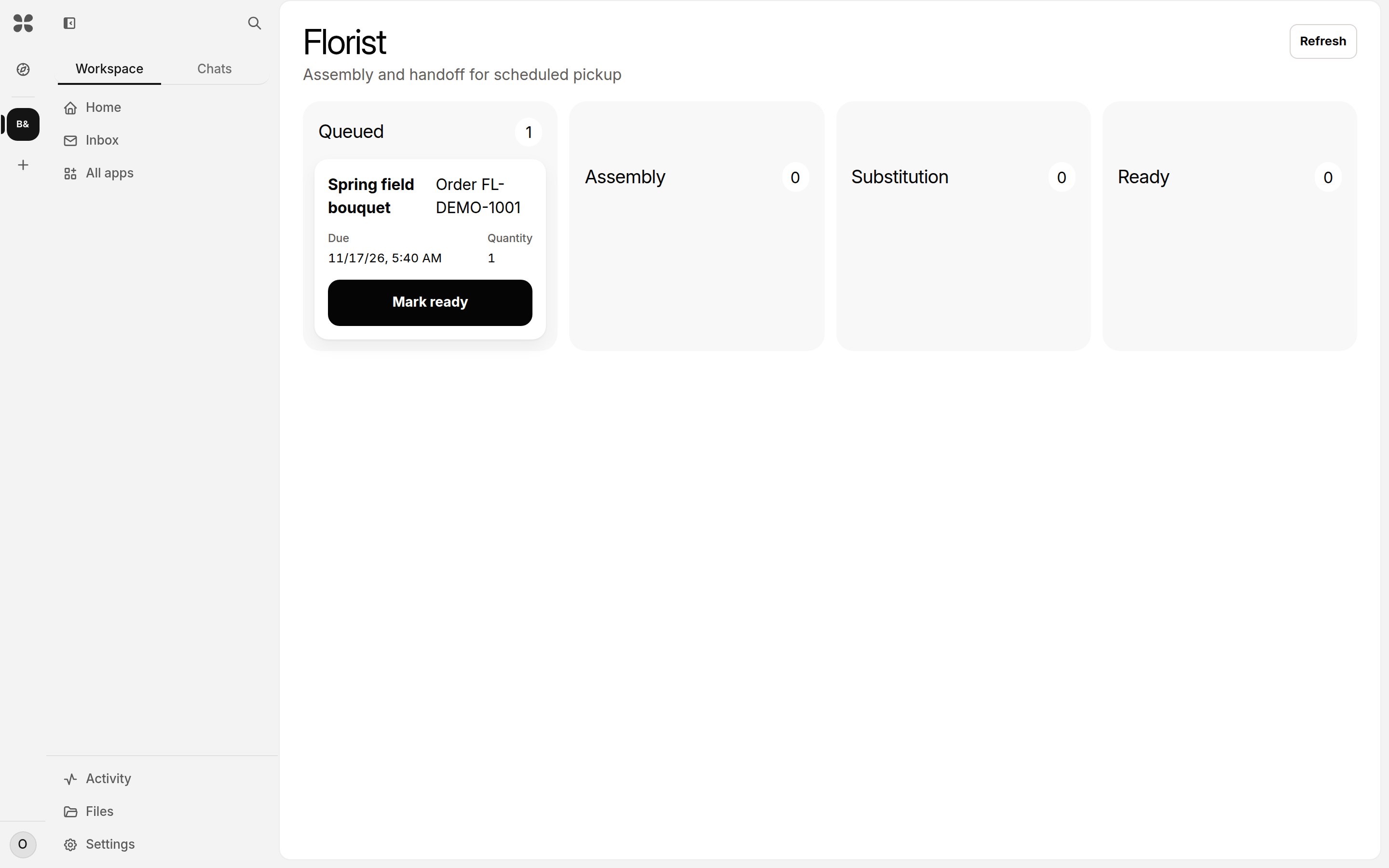
The bouquet board
Each bouquet from queued to being made to ready, with its pickup time.
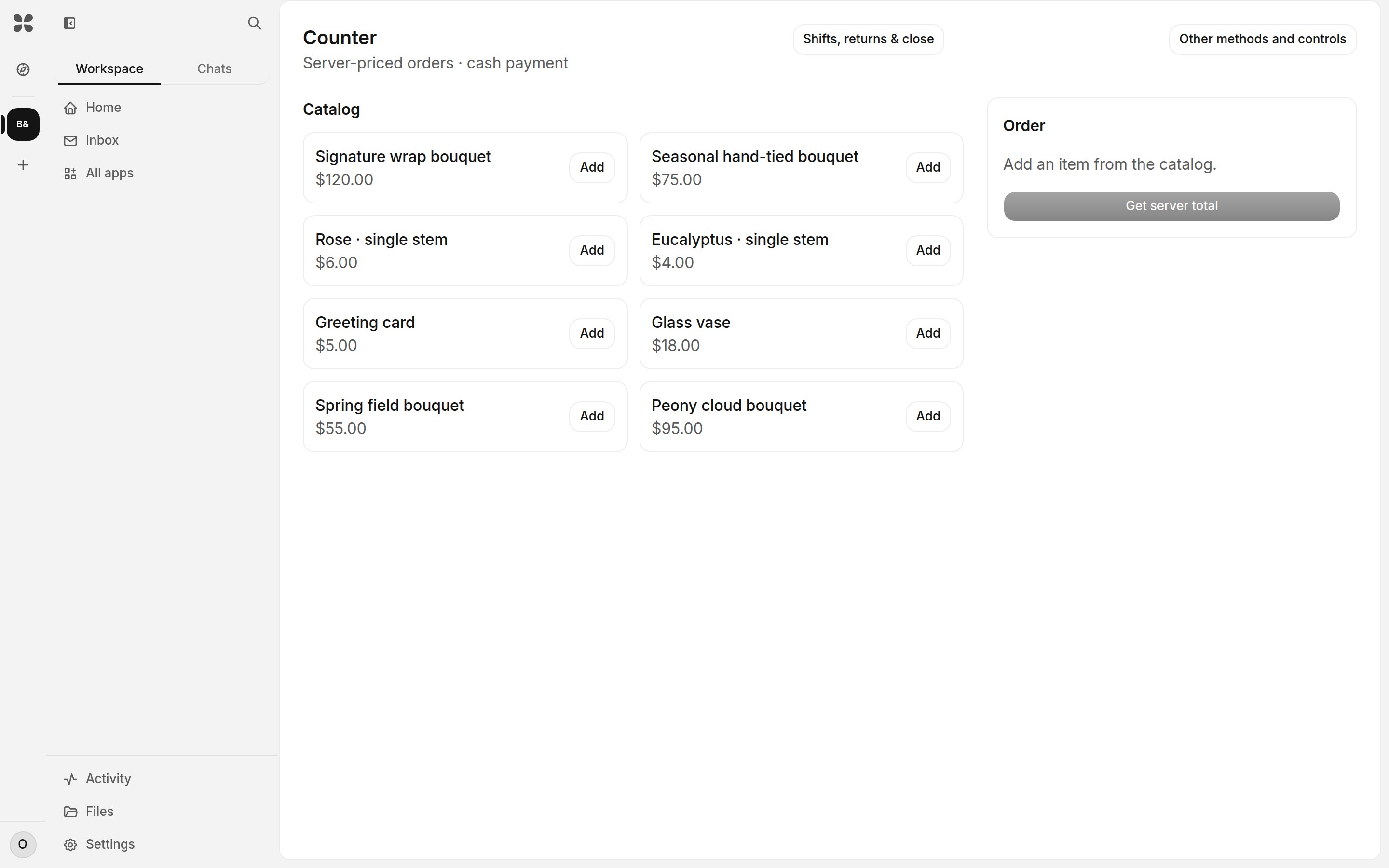
The till
Bouquets, stems and add-ons at your prices.
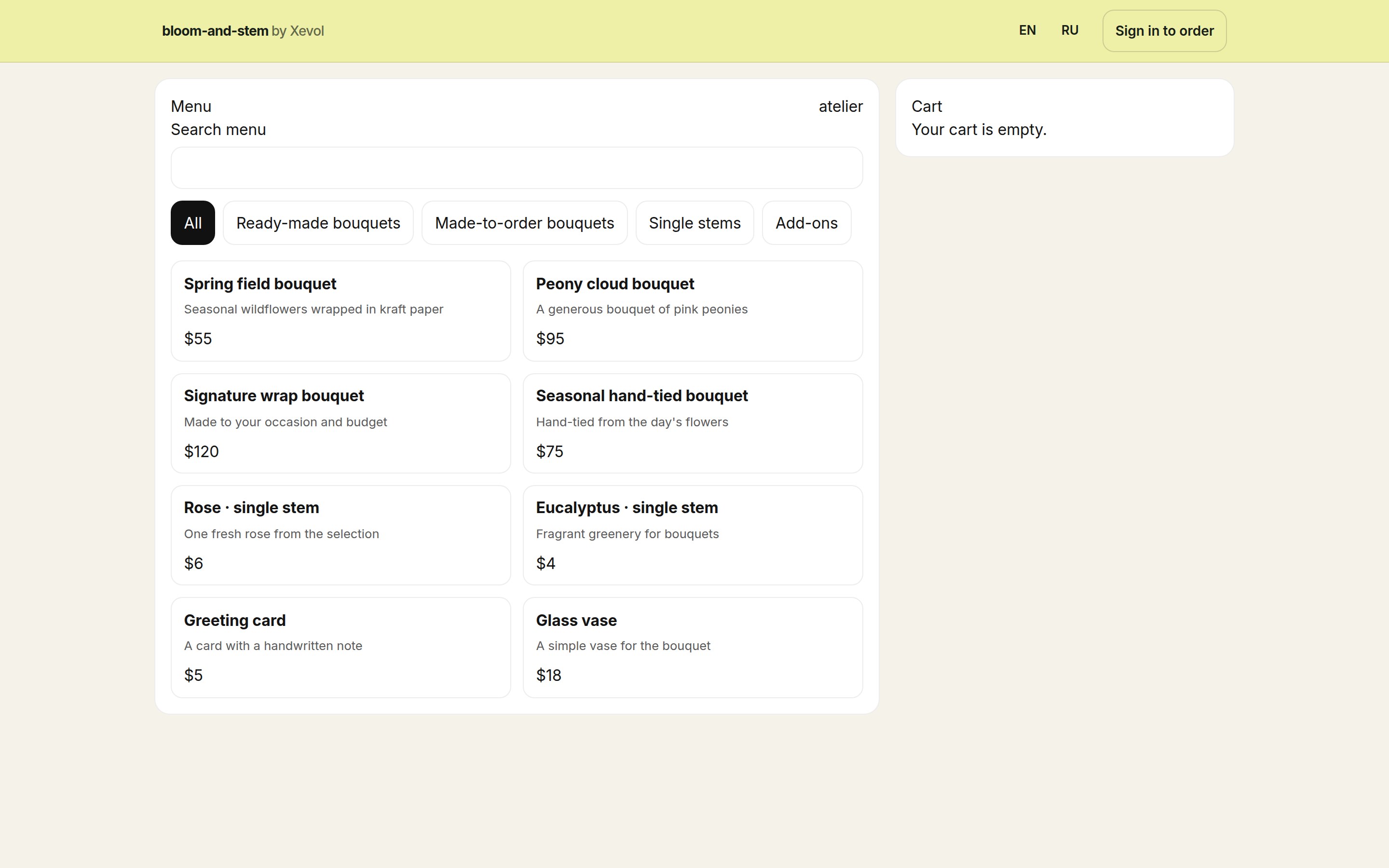
Your shop page
What customers see when they order online.
What you can do
- Ready-made bouquets, made-to-order bouquets with a lead time, single stems and add-ons
- A shop page customers order from, with a pickup time
- A board that follows each bouquet: queued, being made, substitution, ready
- Payment in cash, on your own card machine, or online by card straight to your own Stripe account
- Stock of stems and supplies that goes down as you sell
- Staff schedules, shifts and check-in by QR code
What you need
- Your bouquets, stems and prices
- A tablet or computer at the counter
- A Stripe account, only for card payments online
Setup steps
- You send us your menu or price list: a photo, a link or a file
- We set up your items, prices, opening hours and staff
- You connect your Stripe account if you want to take card payments online
- Your staff join by a link and start the same day
Information
- Publisher
- xevol
- Category
- Operations
- Best for
- Flower shops, Florists, Plant shops
- Setup
- We set it up with you
Nothing to fill in. It runs on its own.
| Apps it uses | None of its own |
|---|---|
| Writes | Nothing. It reads and drafts only. |
| Agent tools | No Agent |
| Your data goes to | Nowhere outside your Workspace |
| Needs a connection | No |
| A person approves | Nothing to approve: it only reads |
Xevol researches and drafts. It never approves, sends, publishes or deletes; a person does.