
Salon & Massage OS
xevolProduct

Book each treatment with the right therapist and room, check clients in, take payment, and plan your staff.
More in Operations
Bookings that match each treatment to a therapist and a room, check-in, payment and your staff's schedule, in your Workspace. We set it up with you from your treatments and team.
See it working
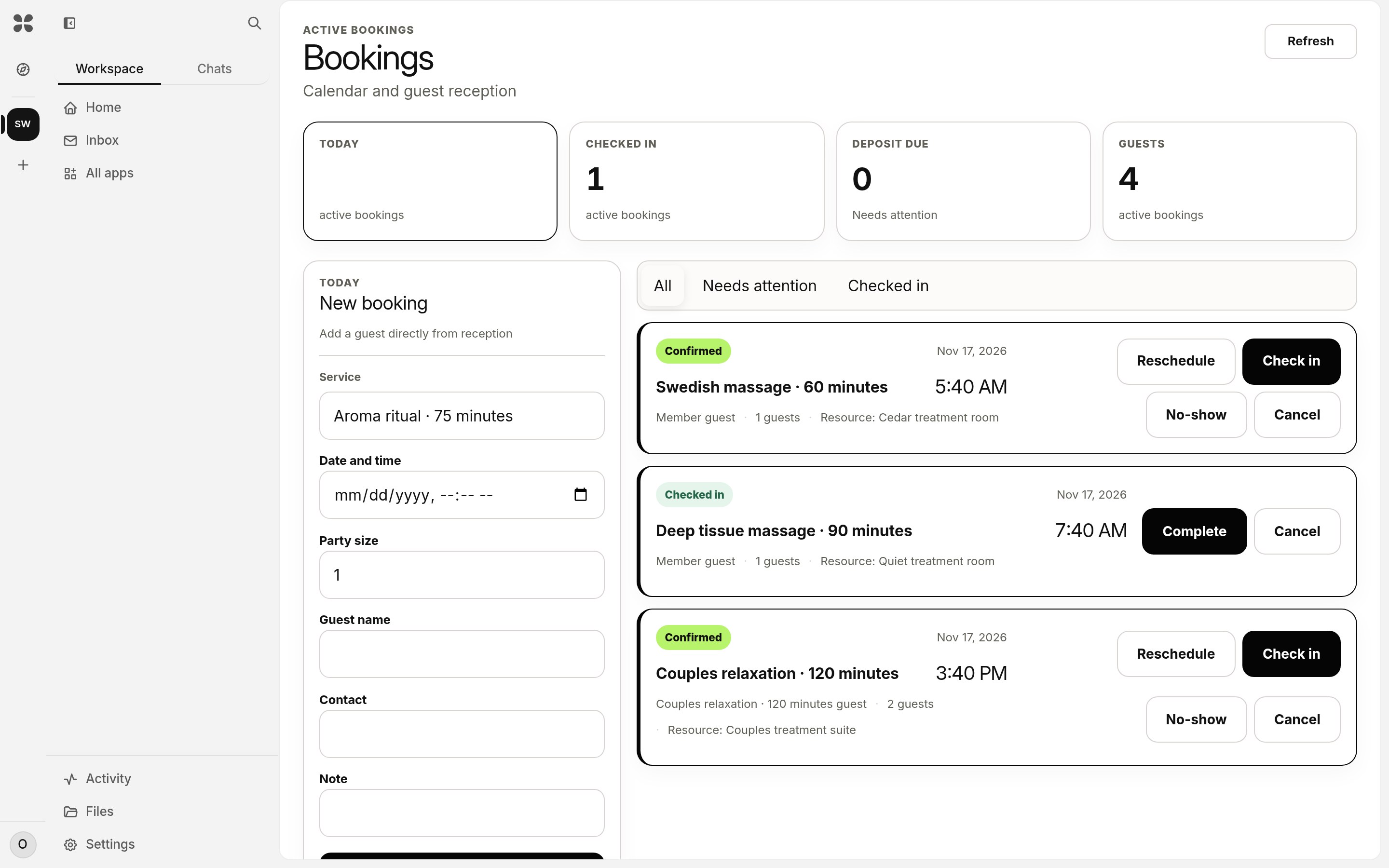
The day's bookings
Each treatment with its room: confirmed, checked in or completed.
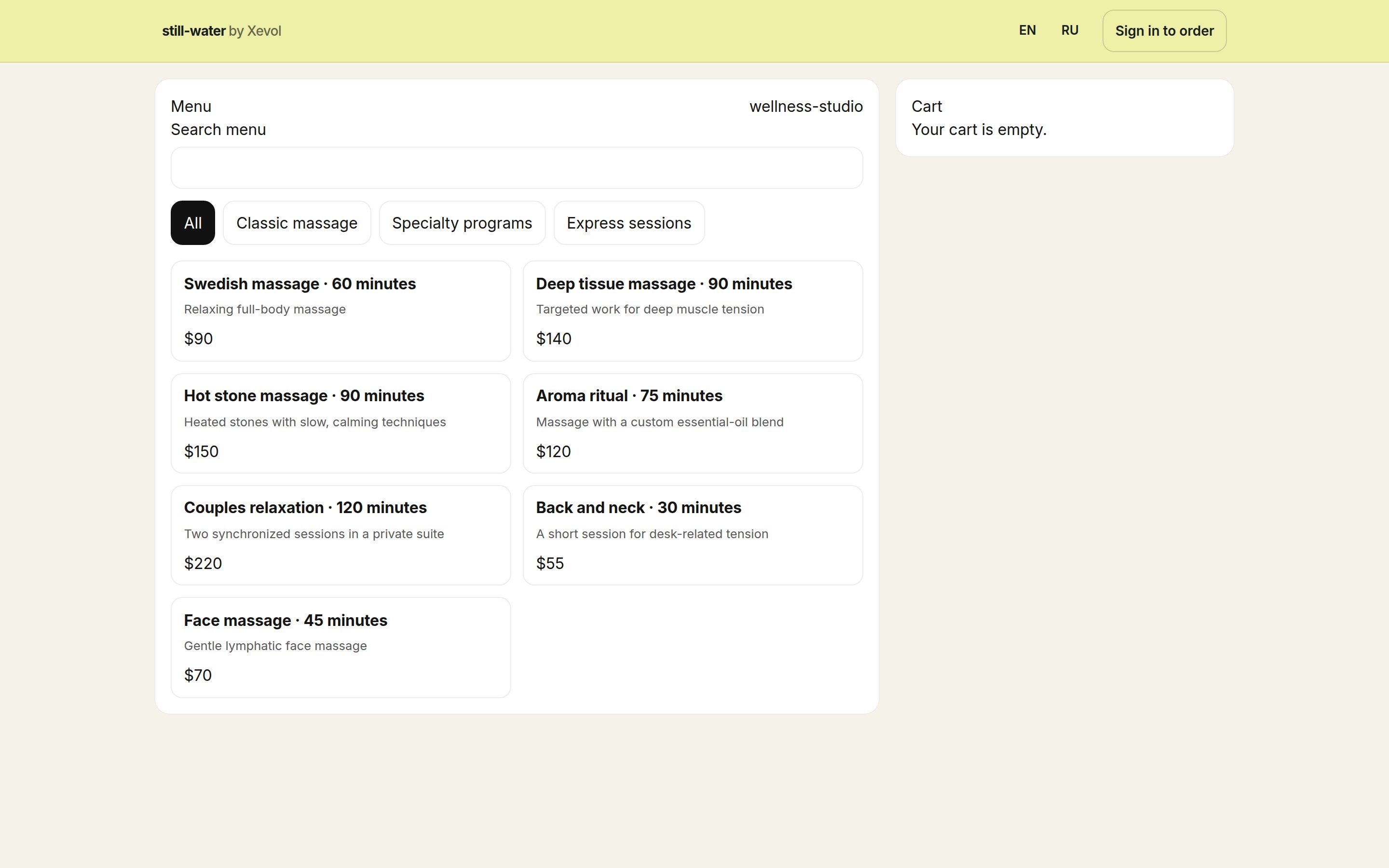
Your price list
Treatments as clients see them.
What you can do
- Treatments by length, matched to a therapist who offers them and a free room
- A booking list for the day: confirmed, checked in, completed, no-show
- Deposits for the treatments you choose
- Payment in cash, on your own card machine, or online by card straight to your own Stripe account
- Staff schedules, shifts and check-in by QR code
What you need
- Your treatments, prices and team
- A tablet or computer at the counter
- A Stripe account, only for card payments online
Setup steps
- You send us your menu or price list: a photo, a link or a file
- We set up your treatments, rooms, therapists and prices
- You connect your Stripe account if you want to take card payments online
- Your staff join by a link and start the same day
Information
- Publisher
- xevol
- Category
- Operations
- Best for
- Massage studios, Beauty salons, Wellness studios
- Setup
- We set it up with you
Nothing to fill in. It runs on its own.
| Apps it uses | None of its own |
|---|---|
| Writes | Nothing. It reads and drafts only. |
| Agent tools | No Agent |
| Your data goes to | Nowhere outside your Workspace |
| Needs a connection | No |
| A person approves | Nothing to approve: it only reads |
Xevol researches and drafts. It never approves, sends, publishes or deletes; a person does.